AI automation is most valuable when it removes repeated work from a real business process. It is least valuable when it becomes a shiny demo nobody uses.
Small businesses should not start with a giant AI transformation plan. Start with workflows that are frequent, structured, low-risk, and easy to verify.
Quick Answer: What AI Workflows Should a Small Business Build First?
The best first AI workflows are intake triage, lead qualification, FAQ drafting, proposal support, meeting summaries, document search, review monitoring, and internal operating checklists. These workflows are repetitive enough to save time, but controlled enough to keep humans in charge.
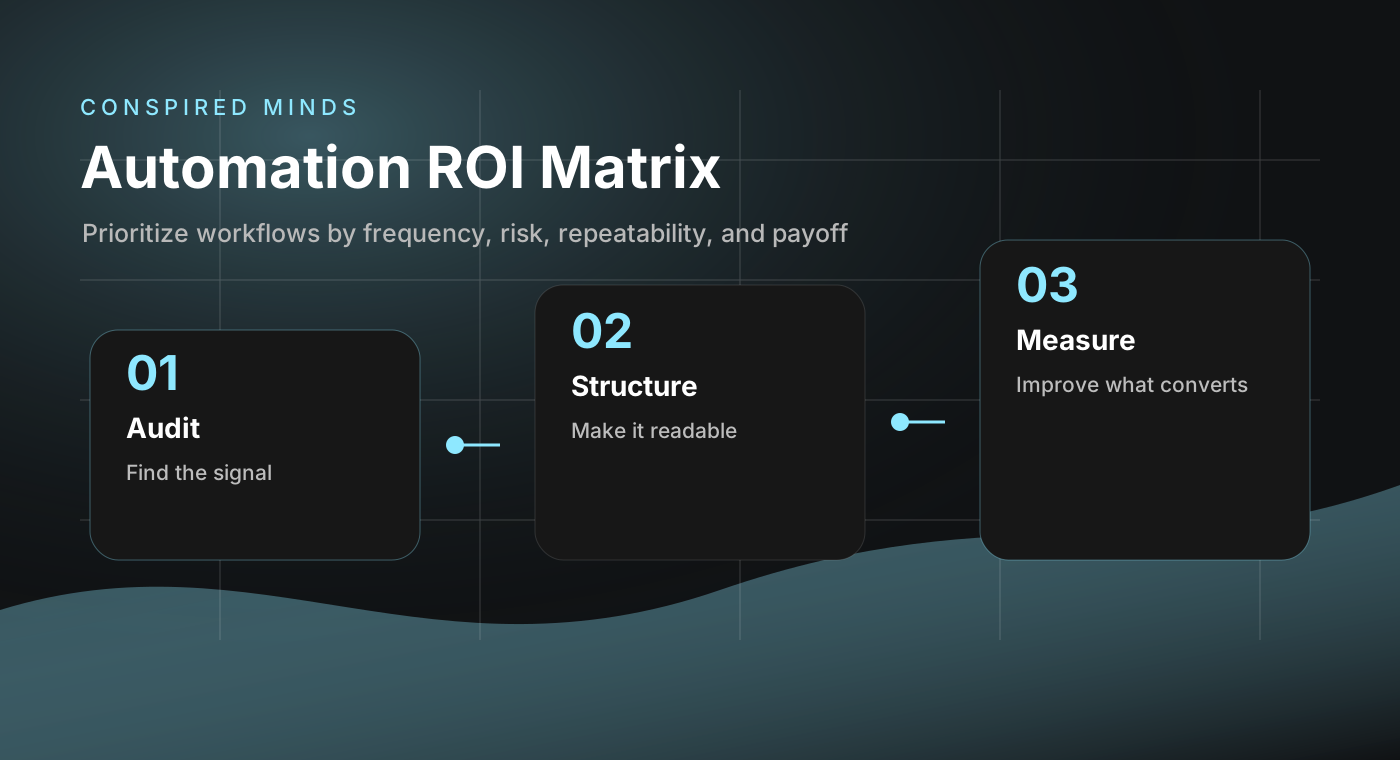
The Automation ROI Matrix
Use this before building anything.
| Question | Good candidate | Bad candidate |
|---|---|---|
| Frequency | Happens daily or weekly. | Happens twice a year. |
| Structure | Inputs and outputs are predictable. | Every case is completely different. |
| Risk | Low-risk draft or recommendation. | Final legal, medical, financial, or HR decision. |
| Verification | A human can quickly check the result. | Mistakes are hard to detect. |
| Payoff | Saves time, improves speed, or increases consistency. | Automates work that was not worth doing. |
Workflow 1: Lead Intake Triage
A lead intake workflow reads a form submission or email and creates a structured summary:
- Who is the prospect?
- What do they need?
- What is the budget range?
- What service category fits?
- Is this urgent?
- What should the next reply ask?
This saves time and improves response quality without letting AI send anything automatically.
Workflow 2: Proposal Drafting Support
AI should not invent pricing or promises. It can help assemble a first draft from approved building blocks.
A safe proposal workflow uses:
- Approved service descriptions
- Known scope options
- Internal pricing ranges
- Client notes
- Timeline assumptions
- Human review before sending
The output is a draft, not the final answer.
Workflow 3: Meeting Summaries and Next Steps
This is one of the highest-return workflows because meetings create immediate follow-up work.
A good meeting workflow produces:
- Executive summary
- Decisions made
- Open questions
- Owner assignments
- Risks
- Follow-up email draft
- CRM note or project management update
Workflow 4: Internal Knowledge Search
Most teams waste time asking questions that already have answers somewhere: docs, emails, SOPs, Notion, Google Drive, Slack, ticket systems.
A retrieval workflow can answer internal questions using approved sources:
- "What is our refund policy?"
- "How do we onboard a new client?"
- "Where is the brand guide?"
- "What are the steps for launching a new landing page?"
This is where RAG, retrieval augmented generation, is useful. The AI retrieves source material first, then answers from that material.
Workflow 5: Customer Support Drafts
Support drafts are valuable when the AI helps a human answer faster.
Safe version:
- AI drafts the reply
- AI cites the source policy or help doc
- Human reviews and sends
Risky version:
- AI sends directly
- No source citations
- No escalation path
- No tone or refund rules
Start safe.
Workflow 6: Review and Reputation Monitoring
A review workflow can monitor new Google reviews, categorize sentiment, summarize themes, and draft response options.
Useful outputs:
- Positive review themes
- Complaints that repeat
- Service gaps
- Testimonial snippets for the website
- Draft replies for owner approval
Workflow 7: Content Repurposing
A business often has expertise trapped in calls, emails, proposals, and support answers. AI can turn that into useful content.
Examples:
- Sales call questions into FAQs
- Support tickets into help articles
- Project notes into case study outlines
- Internal checklists into blog posts
- Webinar transcripts into LinkedIn posts
Implementation Roadmap
Phase 1: Map the workflow
Write down the current manual process. Do not automate a process you cannot explain.
Phase 2: Define inputs and outputs
Be precise. "Help with leads" is vague. "Summarize each inquiry into service category, urgency, budget, and suggested next question" is buildable.
Phase 3: Add guardrails
Guardrails include source limits, approval steps, prohibited claims, privacy rules, escalation triggers, and logging.
Phase 4: Test with real examples
Use 20 to 50 historical examples. Compare AI output against what a good human would have done.
Phase 5: Deploy with human approval
Start with draft-only mode. Automate the boring assembly work, not the final judgment.
AI Workflow Safety Checklist
- ☐ The workflow has a clear owner
- ☐ The AI cannot send external messages without approval
- ☐ Sensitive data is minimized
- ☐ Source material is controlled
- ☐ Every output can be reviewed quickly
- ☐ Failure cases are documented
- ☐ Escalation rules are defined
- ☐ Logs can be audited
- ☐ The workflow saves measurable time
- ☐ The team knows when not to use it
FAQ
Should AI talk directly to customers?
Sometimes, but not first. Start with internal drafts and human approval. Customer-facing AI should have narrow scope, clear fallback, and strong logging.
What is the easiest workflow to start with?
Meeting summaries or lead intake triage. Both save time quickly and keep humans in control.
What tools do I need?
Usually a form or inbox, an AI API, a small database or document store, and a workflow layer. The right stack depends on privacy requirements and existing systems.
How do I calculate ROI?
Estimate minutes saved per instance, multiply by monthly volume, then compare against build and maintenance cost. Also include speed, consistency, and fewer dropped balls.
Strategic Advice
The best small-business AI systems are boring in the right way. They make routine work faster, cleaner, and more consistent. They do not pretend to replace judgment.